

Updated · 7 min read
The short answer. Pick a CRM that keeps the whole shipment on one record, from the lead and its source through the quote, the e-signed order and dispatch to the invoice, with broker fee and carrier pay held separately. Compare prices at your own headcount, and ask every vendor the same eight questions on a demo.
Almost every "best auto transport CRM" list you will find was written by a company that sells one. This is a guide to judging them yourself, including ours.
1. Why a general CRM does not fit
A general CRM models a deal: a company, a contact, a value, a close date. That shape works for most businesses, which is why the category is enormous.
A vehicle shipment is a different shape. It has a VIN, a year, make and model. It has an origin, a destination and a pickup window. It has a broker fee that is separate from the carrier pay, and the difference between those two numbers is your margin on that specific car. It has a signed order, a dispatched driver, an insurance certificate that has to be valid on the day the car moves, and an invoice that has to reconcile against what the customer actually paid rather than what you quoted.
You can force that into a general CRM with custom fields. Brokers do it every day. The cost is not the subscription — it is that the deal record and the operational reality drift apart, and nobody notices until a carrier turns up for a car that was never confirmed.
2. What a broker CRM actually has to carry
Whatever you look at, check it does all of these, on one record, without re-typing:
- Lead intake with source. If you cannot see which source produced which booked order, you cannot tell which lead spend is working. Ask whether the platform can put a quote form on your own website and tag what it captures with the channel it came from.
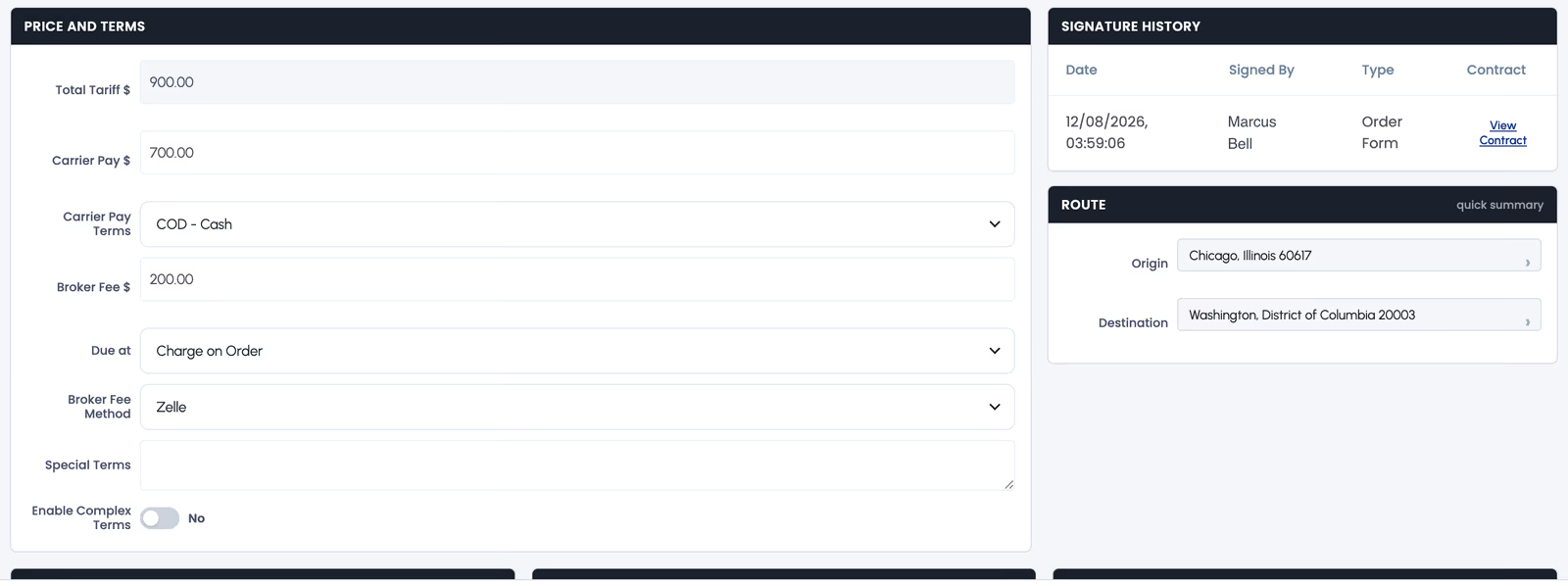
- Quoting with broker fee and carrier pay held separately. One combined "price" field means margin is a mental calculation, and mental calculations are where money leaks.
- Customer e-signature on the order. A signed order that lives in an email thread is a signed order you will not find in six months.
- Dispatch with driver details attached to the same record as the quote.
- Carrier insurance with an expiry date the system watches. Insurance that was valid when you onboarded the carrier is not the question. Valid on pickup day is the question.
- Invoicing and payment reconciliation, so the balance owed is a fact rather than a spreadsheet.
- Roles and permissions if more than one agent touches the pipeline.
The test is not whether a feature list mentions these. It is whether they sit on one record. A platform that quotes in one place and dispatches in another has simply moved your re-typing problem behind a single login.
3. The four pricing models, and why comparison is hard
This is where most buyers get caught. Products in this category are not priced on the same axis, so the headline numbers are not comparable at all.
- Per seat. A monthly price per user. Cheap for a solo broker, and it scales directly with hiring.
- Per company. One monthly price covering a team up to some size. Predictable; can be poor value if you are one person.
- Per truck. Priced on fleet size. This is carrier software, not broker software — worth recognising, because it often appears in the same comparison articles.
- Per load or per quote. Priced on volume, sometimes with a bundle included and an overage rate above it.
Three real examples, all checked in August 2026 and all likely to change — treat them as illustrations of the models, not as current quotes:
- Super Dispatch lists Shipper Pro from $159 per month, and Carrier Pro from $55 per seat per month — two different axes in one product family.
- CarShipIO prices carrier plans by truck count, from $10 per month for a single truck up to $159 for four or five, then $30 per additional truck.
- TruxCRM is $120–150 per month for a brokerage of up to five agents, then $20 per additional agent. Our full breakdown is on the pricing page.
Notice that the CarShipIO figure and the TruxCRM figure are close, and measure completely different things — one is trucks, the other is agents. This is exactly why roundup articles that put a single dollar number next to each product are close to useless. Work out what your own brokerage costs on each model at your actual headcount, then compare. We did that arithmetic for nine vendors at two, five and ten agents in our comparison of the best auto transport CRM software for brokerages.
4. Questions worth asking on a demo
These are deliberately awkward. A good product answers them plainly.
- Show me one car going from lead to delivered without leaving the record. Not slides — the actual screens.
- Where does broker fee live, and where does carrier pay live?
- What happens when a carrier's insurance expires between dispatch and pickup?
- Does customer email leave from my domain or yours? If mine, what do I have to set up?
- What is the total monthly cost at my headcount with everything I need switched on?
- What happens to my data if I leave — can I export it, in what format?
- Can an agent see another agent's customers? Who decides that?
- Is there a contract, and what is the notice period?
The email question catches more people than it should. If quotes and invoices go out from a platform address, your customers see a company that is not yours on the most important message you send them. If they go from your own domain, the domain has to be authenticated properly or they land in spam — we wrote a step-by-step guide to that, and it is useful whether or not you use our software.
5. Where TruxCRM fits
We are a good fit for a brokerage of almost any size, from an independent broker or a small to mid-sized team to a growing multi-agent operation, that wants one predictable monthly price and every feature switched on, Central Dispatch search and posting included. One plan, no tiers, nothing held back for a bigger package, and the price covers five agents before per-seat pricing starts. Switching is the part most brokers dread, so the lead list you already have comes across as a CSV import rather than a week of retyping, and goes straight out to your agents.
If that sounds like your operation, the honest next step is to put your own workflow in front of us and use the eight questions above on us. If we answer badly, you have lost half an hour and gained a checklist that works on the next vendor.
6. Frequently asked questions
What should an auto transport CRM include?
Lead intake that records the source, quoting with broker fee and carrier pay held as separate numbers, customer e-signature on the order, dispatch with driver details, carrier insurance with an expiry date the system watches, invoicing and payment reconciliation, and roles and permissions for more than one agent. The test is that all of it sits on one record per shipment, not that a feature list mentions each item.
Why are auto transport CRM prices so hard to compare?
Because vendors price on different axes: per seat, per company, per truck, or per load. A per-truck price and a per-agent price can be close in dollars and measure completely different things. Work out what each one costs at the headcount you expect in a year, including any add-ons you would switch on, and compare those totals rather than the headline figures.
What is the best question to ask on a CRM demo?
Ask to see one car go from lead to delivered without leaving the record, on the real screens rather than slides. It shows in a few minutes whether quoting, signing, dispatch and invoicing are one system or several products behind a single login.
Should quotes be sent from my own email domain?
Yes. A quote from a platform address shows your customer a company name that is not yours on the message that matters most. Sending from your own domain needs SPF, DKIM and DMARC set up, or the quotes land in spam — a one-time job of five to fifteen minutes, covered in our email setup guide.